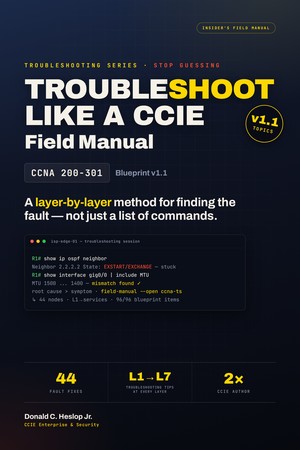
CCNA
Faults organized layer by layer, Physical to Services. Builds the bisection instinct the exam rewards.
Know exactly where to look the moment something breaks — on the exam or on the job — and work the fault like a 2× CCIE instead of guessing under the clock. These three Field Manuals give you 111 real fault fixes across CCNA and both CCNP Enterprise exams, each laid out symptom → root cause → fix. Get the whole series, or start with the cert you're on now.
Config questions you can study for. But troubleshooting items drop you into a broken topology and expect you to isolate the fault under time pressure — and that's exactly where candidates freeze. The exam is moving toward more of it, not less.
Troubleshooting is already a graded skill on ENARSI and a growing share of CCNA v2.0 — roughly 30%. You can't memorize your way through a fault you've never learned to isolate.
The exam ends; the broken networks don't. The same isolation method that passes the troubleshooting items is the one you'll use on a real outage. Learn it once, use it for a career.
The 200-301 v1.1 exam retires February 2, 2027. v2.0 rebuilds around troubleshooting — ~30% of the exam. Build the skill now, on either blueprint, before the target gets harder.
The panic doesn't go away by memorizing more commands. It goes away when you have a repeatable way to find the fault — the same one a CCIE uses.


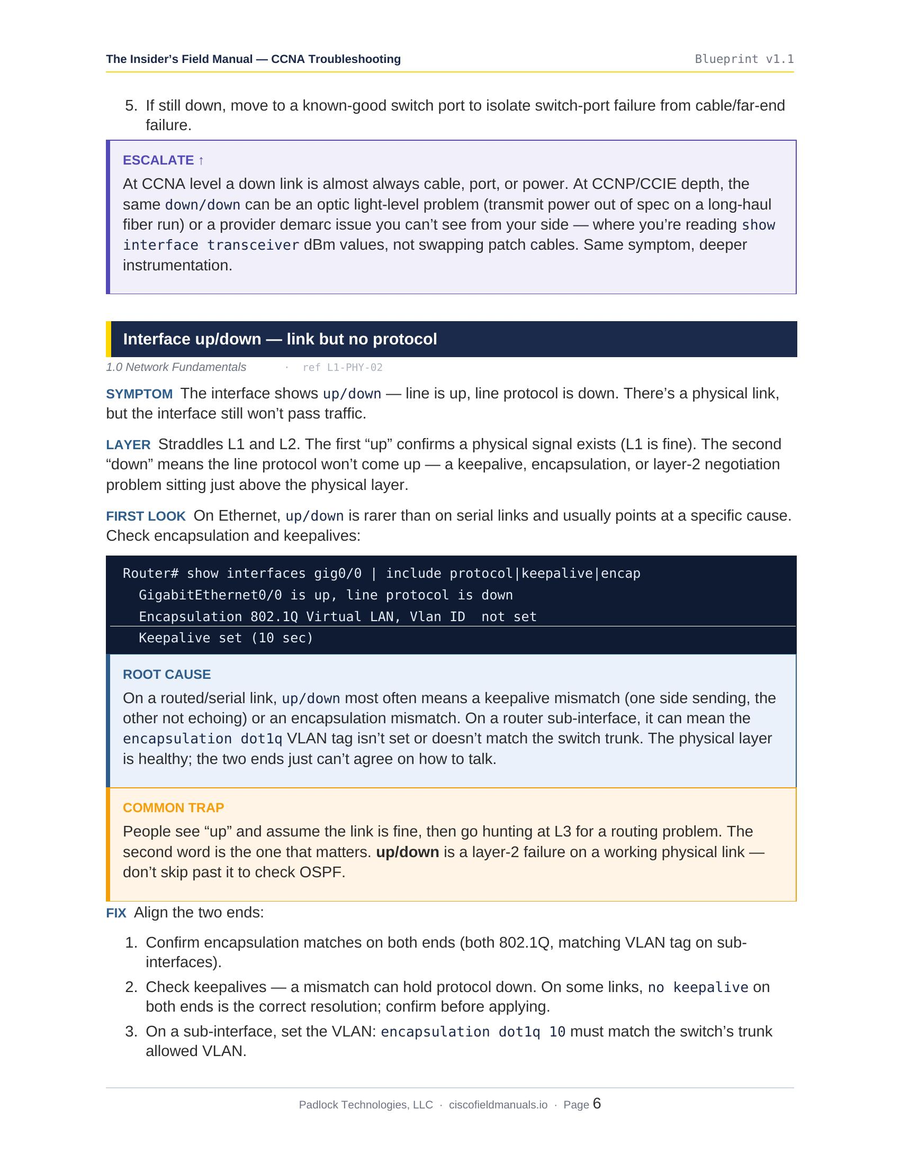
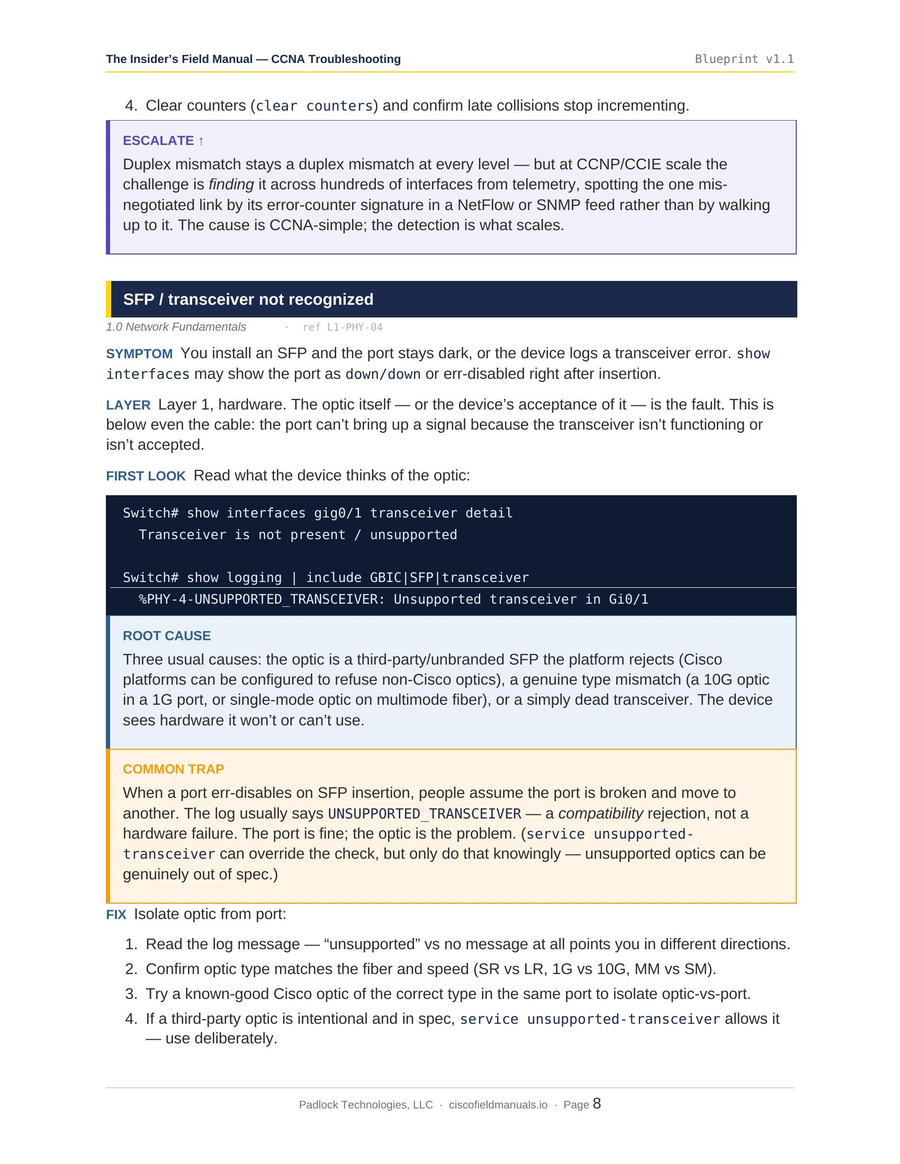
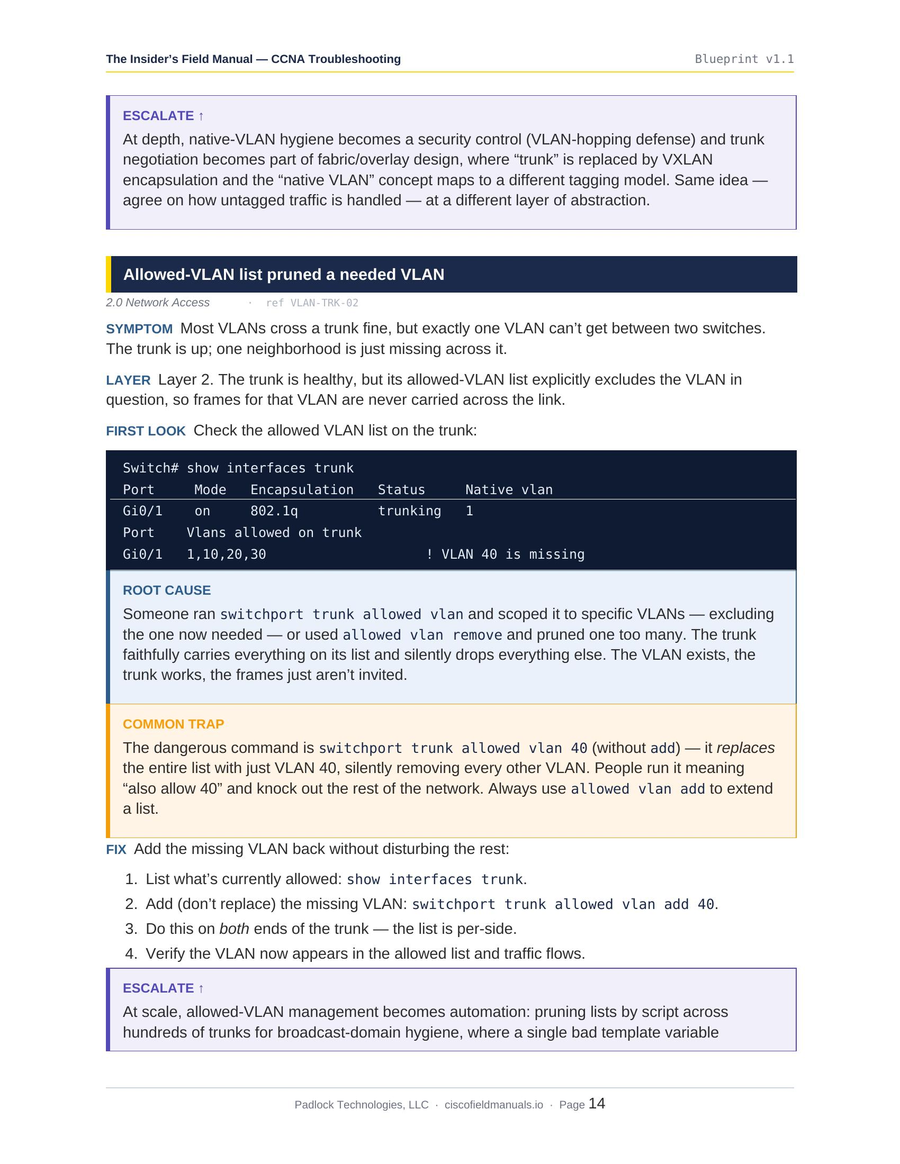
Most guides ask you to trust a sales page. These are real pages from the manuals — the seven-part fault structure, the representative CLI, the common-trap callouts. Judge the depth yourself.


▲ Actual pages from the CCNA Troubleshooting manual. All three guides are built to the same standard.
Every fault in every guide is laid out the same way — so under pressure you already know how to read it and where to look next.
Real faults don't announce their chapter. Each entry starts from the symptom a ticket would use — “subnet dark, adjacency full” — then names the layer so you know which way to bisect. You learn to move from what you see to where it lives, which is the whole game.
You don't need twenty commands — you need the one or two that prove or disprove the theory fast. Each fault names them, shows representative output, and reads the result the way an experienced engineer would. Syntax varies by IOS version; the method doesn't.
! adjacency won't come up — one look tells you why R1# show ip ospf neighbor 10.0.0.2 EXSTART ! stuck — not FULL R1# show interface g0/0 | include MTU MTU 1500 ! neighbor 9000 -> mismatch
Every fault follows one structure: symptom, layer, first look, root cause, common trap, fix, escalate. Once your brain knows the rhythm, a new fault isn't a blank page — it's the same seven questions you already know how to answer. That's what holds up when the pressure's on.
Most faults have a predictable trap — the thing that looks like the cause but isn't: MTU mismatch two hops upstream, an AD-shadowed route, OSPF stuck in ExStart. Every entry flags its common trap explicitly, so you don't burn twenty minutes proving the obvious-but-wrong theory. The fault points you the wrong way; the guide points you back.
The three guides share one reference system: the same fault appears at CCNA, ENCOR, and ENARSI depth — layer-first, then domain-first, then symptom-first. Follow a problem up the ladder and watch the method deepen. The series is the whole path in one purchase.
Read a full fault walkthrough free first — same structure, same depth as the rest of the guide. What you see in the sample is exactly what you get.
Read a free CCNA sample →A quick note from the author: I'm Don. I hold two CCIEs, I've sat these exams, and I've coached engineers through them. I built these manuals because I was tired of watching sharp engineers freeze on a fault — not for lack of knowledge, but because nobody ever taught them a repeatable way to isolate it. This is that method, one fault at a time.
Faults organized layer by layer, Physical to Services. Builds the bisection instinct the exam rewards.
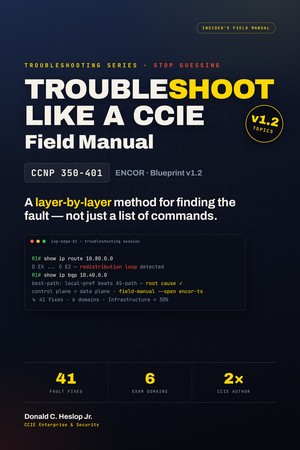
Enterprise-core faults across all six domains — routing, fabric, SD-WAN, security, automation.
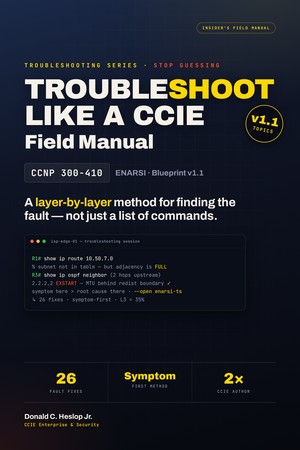
Advanced-routing faults organized by symptom — the way real incidents arrive. The capstone.
The Field Manuals are DRM-protected, watermarked PDFs. Your purchase unlocks the guide on one device, and printing is disabled — that's how I keep the material from being copied and passed around.
Studying across two machines? Add an additional-device license for $9.97 one-time and the same guide opens on a second device too.
Yes — every guide is aligned to the blueprint Cisco publishes for that exam: CCNA 200-301 v1.1, ENCOR 350-401 v1.2, ENARSI 300-410 v1.1. Each guide carries an edition line stating its blueprint version so you know exactly what you're getting.
One honest note: the CLI in these guides is representative. Command syntax and output vary across IOS, IOS-XE, and NX-OS versions — so the guides teach the diagnostic method with representative output. The approach carries across versions; confirm exact syntax against your own equipment.
If I correct or improve a guide, existing customers of that edition get the update free. When Cisco releases a new exam version, that's a new, separate guide — a new purchase, not a free upgrade.
The three guides share one reference system — the same fault at CCNA, ENCOR, and ENARSI depth — so they're built to be used together across the whole CCNA → CCNP path. If you're only studying one cert right now, start with that guide; if you're on the full path, the series gives you all three in one purchase.
Because I'd rather every engineer afford it before payday than price it like a $2,000 bootcamp. It's dense, method-driven reference, priced to be a no-brainer — not because it's thin. Read the free sample and judge the depth for yourself.
You get the guide instantly — your download is ready the moment checkout completes. Your DRM license follows shortly after by email: each copy is watermarked and keyed to you (that's what stops it being copied and resold), so the license is what activates your personal copy. You'll also receive a separate email that walks you through how to access and open your guide.
The guides open in the free Locklizard Safeguard Viewer. You install it once, activate your license, and from then on the guide opens with a double-click. Minimum versions:
Two things cause most of the "my license won't activate" emails I get. First: activate on the machine itself — not over VPN, RDP, Citrix, or a terminal-server session, which Locklizard blocks by design. Second: the Viewer needs outbound access on ports 80 and 443 to reach the licensing server, so a strict corporate firewall or endpoint agent can stall it. Activating from home usually clears both.
There is no Linux build of the installed Viewer. If a Linux box or a Chromebook is your only machine, email me before you buy and I'll tell you straight whether I can get you running.
Requirements checked against Locklizard's published downloads page and the current App Store / Google Play listings — August 2026.

Picture the broken topology on exam morning — and you already know the seven questions to ask. Three guides, 111 fault fixes, one method across the whole CCNA → CCNP Enterprise path.